
Notion CMS Next.js Portfolio Blog Template
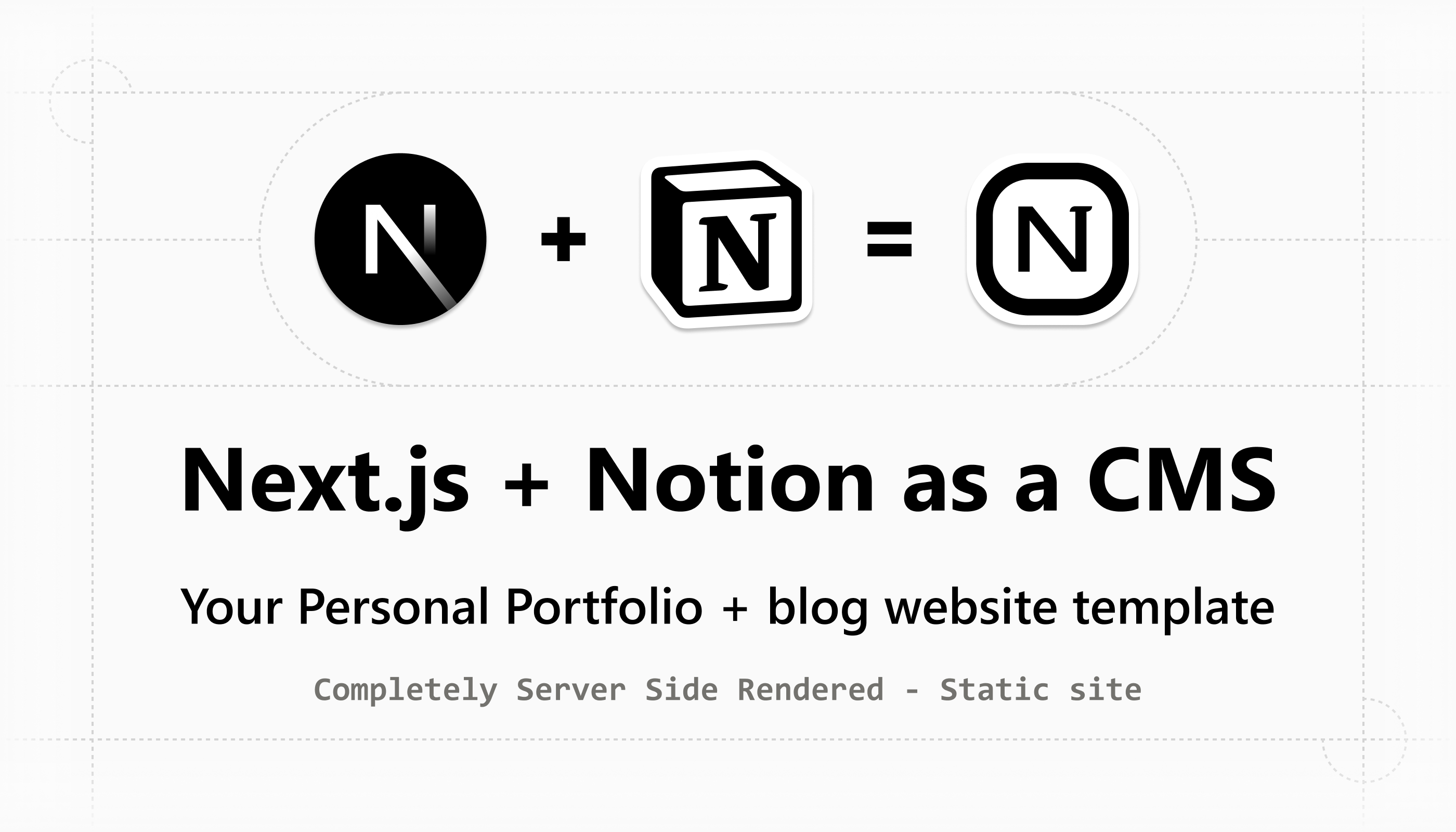
Portfolio/blog template where Notion is used as a headless CMS, enabling full control of your website, content, routes/slugs, SEO, Open Graphs, header/footer links, social links, favicon, manifest, robots.txt, and sitemap.xml.
$79 $149 47% off
Buy Now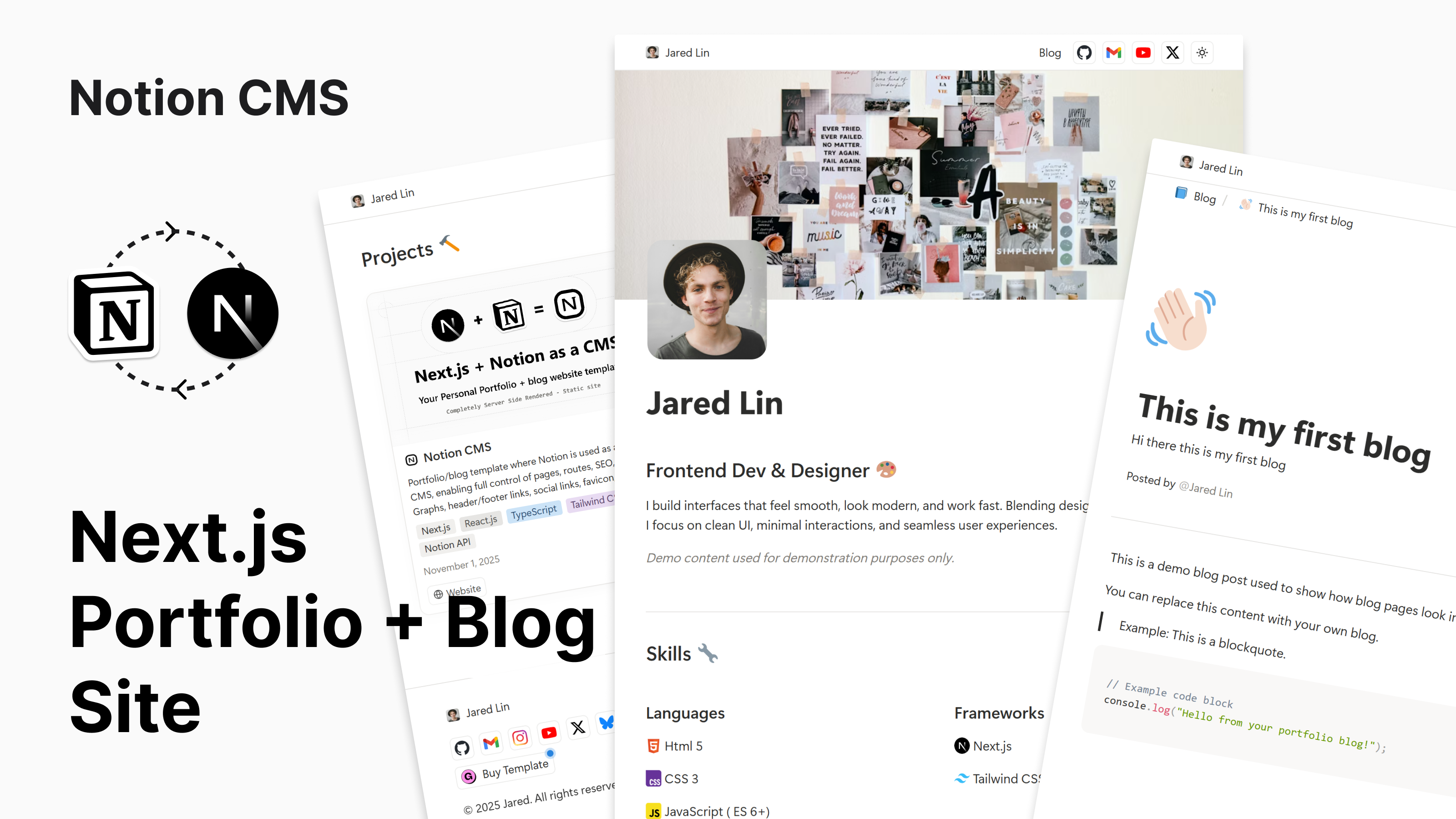

Introduction
Deploy your own Notion Powered Portfolio & blog website in minutes with Next.js and Vercel (no coding required).
Handle all your content, page slugs, routes, blogs, blog cards, navbar and footer social links, page links, and portfolio project cards, all written in Notion and reflected on your site.
Handle complete SEO from Notion: SEO title, description, Open Graph, robots.txt, and sitemap.xml.
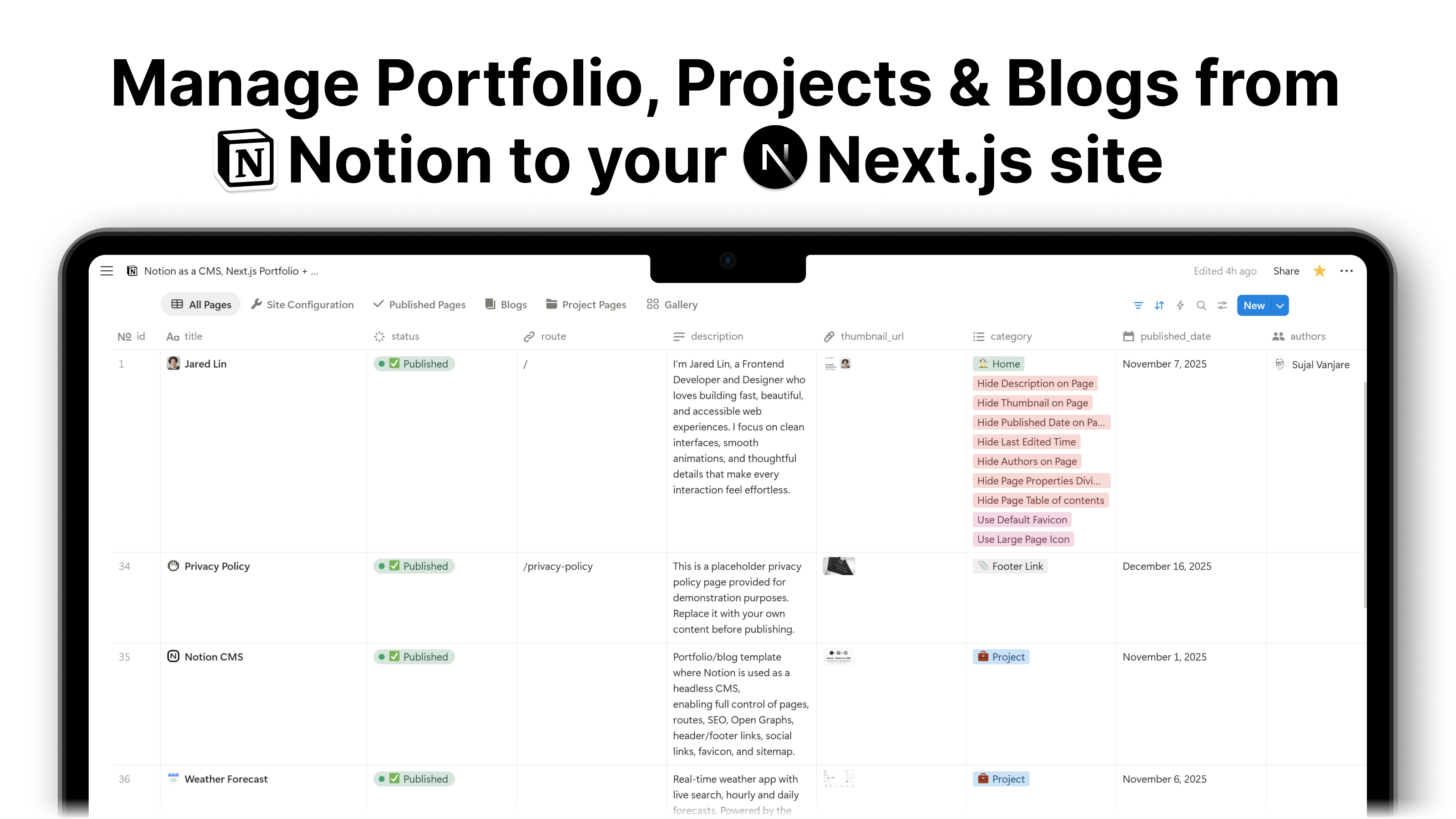
Everything is managed from this single Notion Database 
A Notion-based CMS and database template for a Next.js portfolio and blog website. Manage pages, blogs, projects, templates, docs, routes, SEO, Open Graph images, navigation links, social links, favicon, and sitemap directly from Notion with full control and easy updates. | Discover new ways to use Notion across work and life.
View the live site here
I’m Jared Lin, a Frontend Developer and Designer who loves building fast, beautiful, and accessible web experiences. I focus on clean interfaces, smooth animations, and thoughtful details that make every interaction feel effortless.

Features
Built with the latest tech stack: React 19, Next.js 16, TypeScript 5, Tailwind CSS 4. Uses Next.js Turbopack for super fast development performance.
- Setup only takes a few minutes (you just need to copy the Notion template and connect it to the codebase, that’s it)
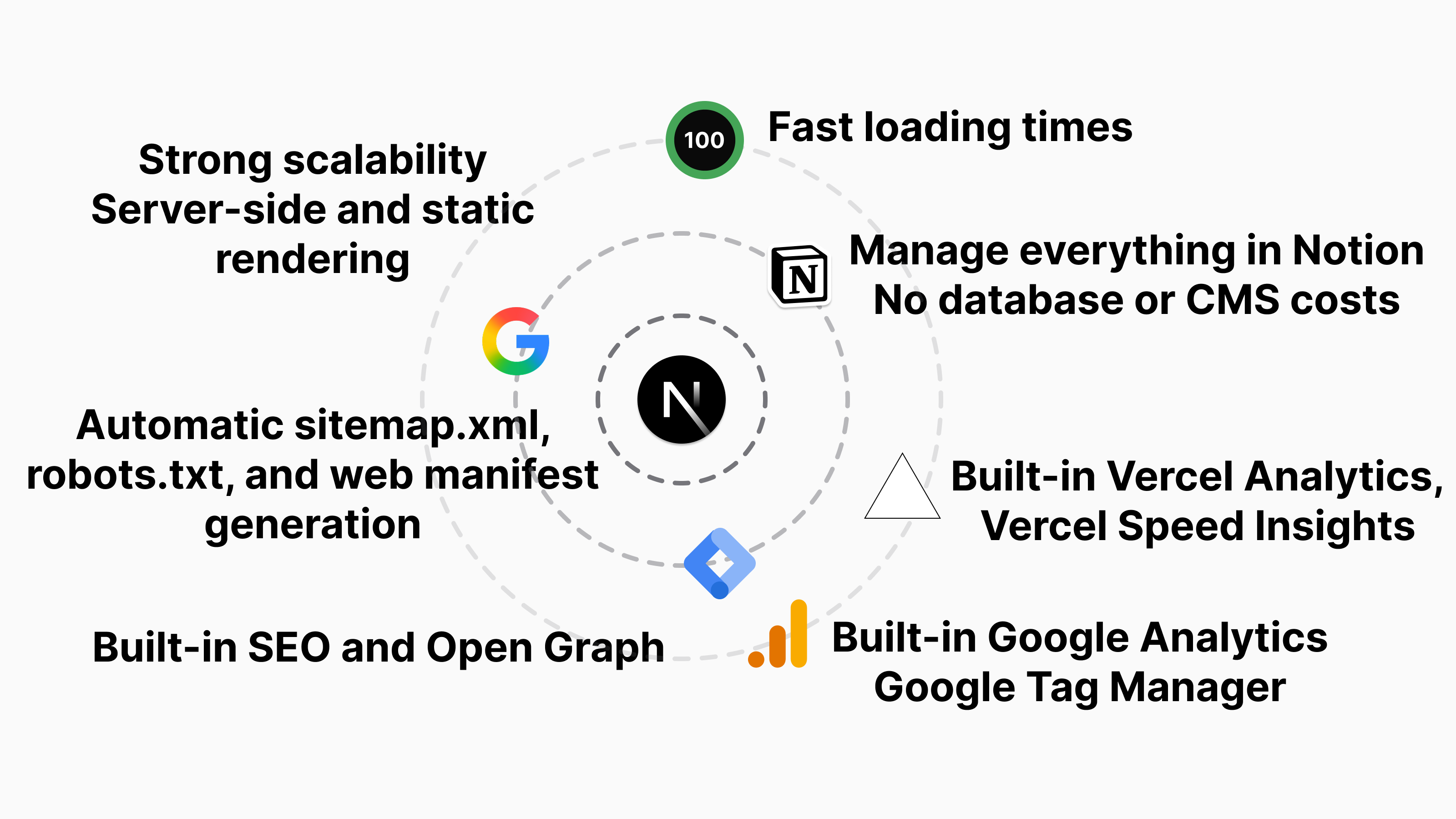
- Everything is rendered statically using Next.js SSR (server-side rendering)
- Super fast loading times
- All Notion blocks are supported with proper HTML semantic syntax
- Exact Notion UI (all blocks, backgrounds, and colors look exactly like Notion, but rendered with SSR)
- Special portfolio, project card, blog card, home, blog home, and blog page UI, navbar, footer, default page breadcrumb, and default page table of contents, specially built and polished by me
- Special Template Card Section: Any project can become a “template” by adding a
shop_link,pricetext and a Template
 - Add any social links such as Gmail, GitHub, LinkedIn, Reddit, Instagram, YouTube, X, Gumroad, Buy Me a Coffee, etc., with control over whether they appear in the navbar, footer, or both
- Add any custom links to the navbar or footer, or both, such as a blog home link, contact page link in the footer, etc.
- Full SEO control (Google indexing, Open Graph, etc.)
- Full sitemap control (automatically generates sitemap.xml)
- Full robots.txt control (hide any page from indexing)
- Auto-generated JSON-LD Article markup for each page
- Auto-generated JSON-LD Breadcrumbs for every path
- Auto-generated manifest file with favicon support (upload your Apple icon, favicons of different sizes, and favicon.ico file from Notion)
- Favicon based on the page icon (just like Notion)
(can be disabled by adding a single category to use the default favicon while still using the page icon)
- Custom emoji and icons, including Twemoji (any emoji you add will be converted to Twemoji, just like Notion)
- Custom 404 (Not Found) page
- Google Analytics and Google Tag Manager built in (turn on with a single config)
- Vercel Analytics and Speed Insights built in (turn on with a single config)
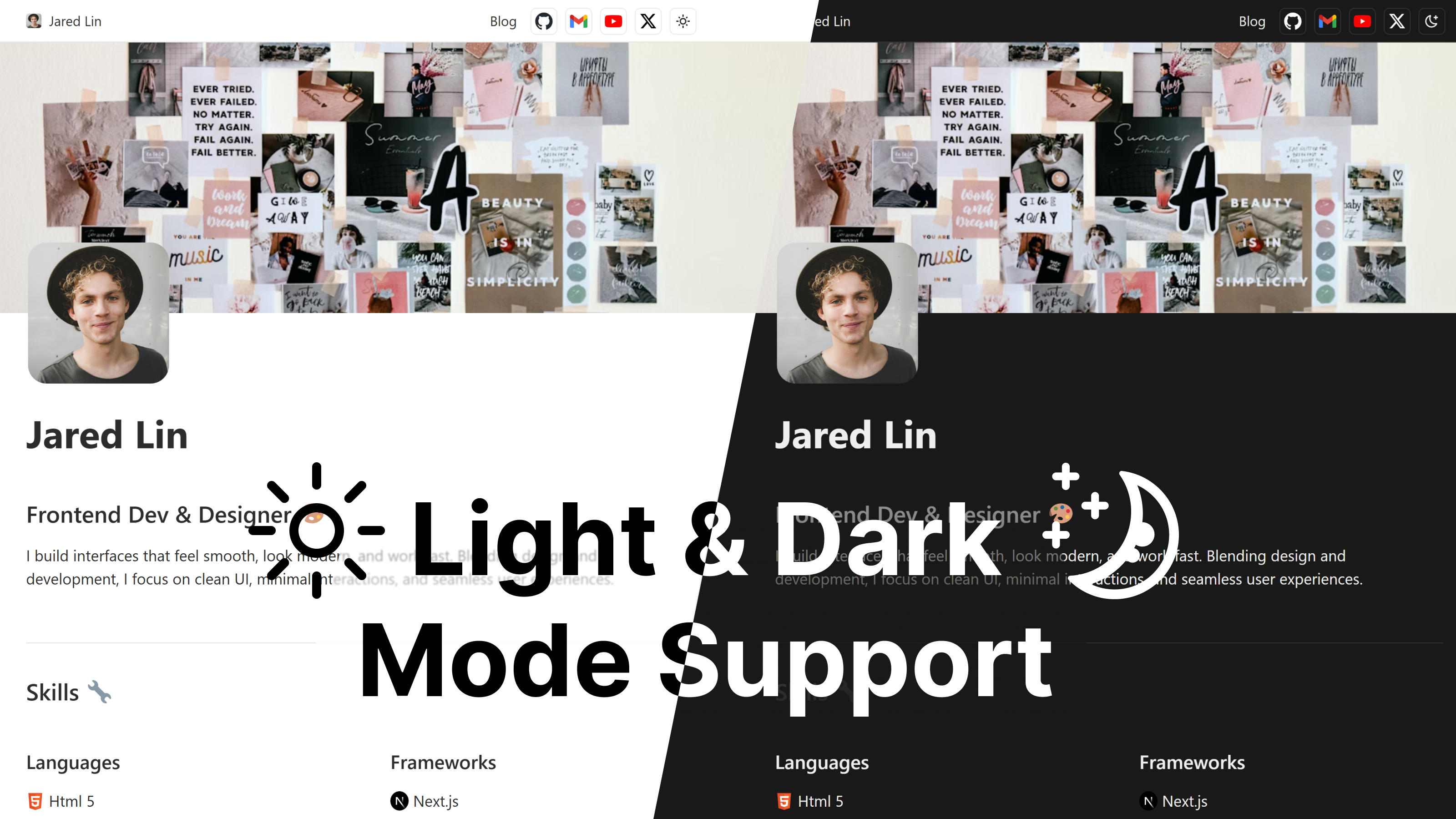
- Dark mode support (users can change it by clicking the top mode toggle)
- Pretty URLs (you control the path, route, and slug from Notion)
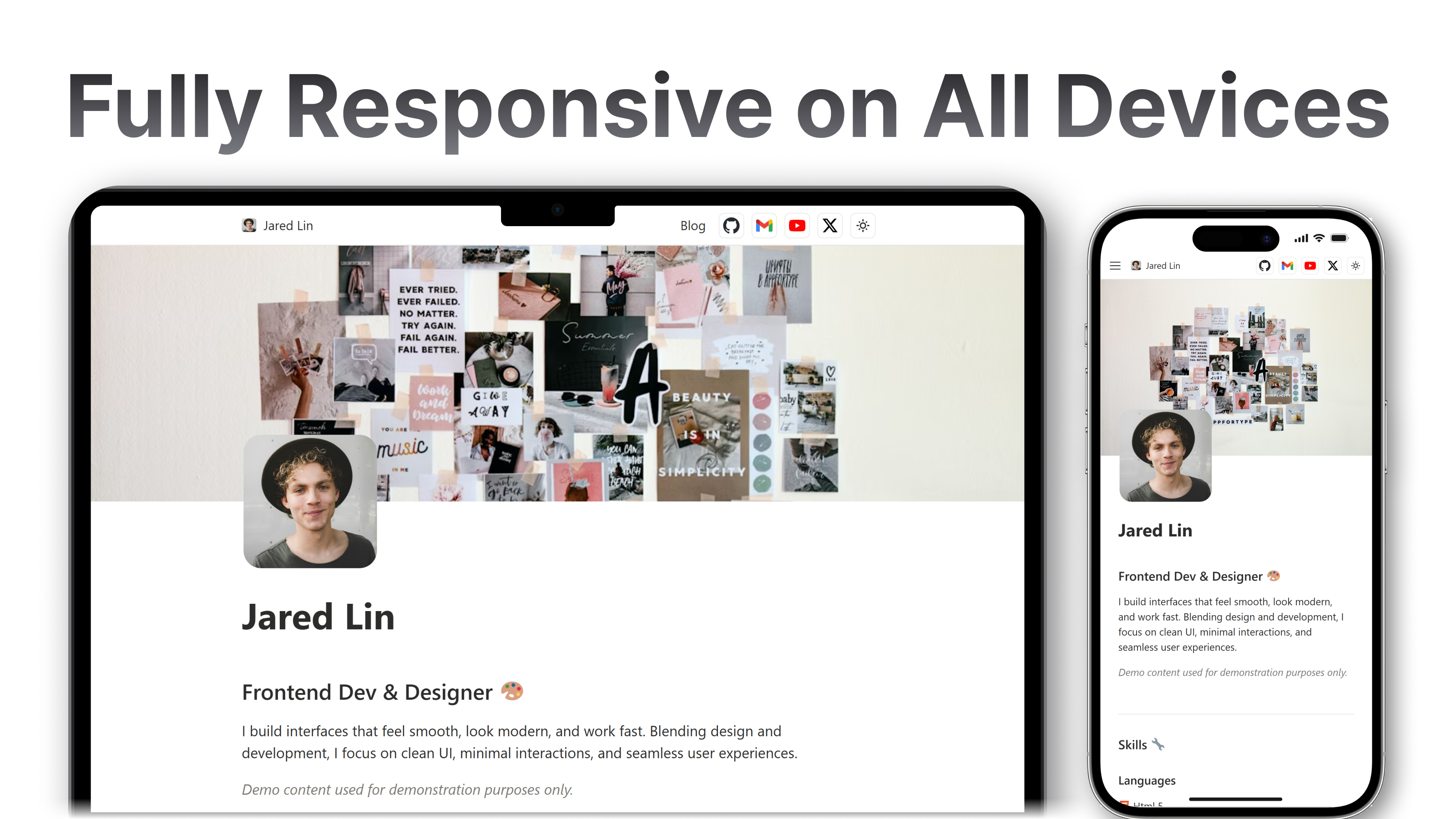
- Completely responsive on everything (all blocks are responsive and thoroughly tested)
- Zero layout shift
- Caching of Notion uploaded images, videos, files, audio, and PDFs in the proper public folder (for example: /public/video/, /public/image/thumbnail.jpg, /public/pdf/resume.pdf)
- Image optimization for external CDN URLs and uploaded images using the Next.js Image component
- No coding required, just duplicate the Notion template and codebase, connect them, write your blogs and portfolio, and deploy to Vercel, that’s it
- Super fast performance, 100 score on Lighthouse
- Zero infrastructure cost to start
- No database cost, because Notion stores all content
- No backend server cost
- No paid CMS
- No paid hosting on Vercel for normal usage
Supported Notion Blocks (Overview)
Inline blocks
 Rich text ( Bold, italic, strikethrough, underline, inline code, text color, text background )
Link ( external link uses a tag or internal link that uses next.js Link tag for fast loading , that link don’t open in new tab unlike external that feature included )
Mention a Person
Mention a page
Date or reminder
Custom Emoji & Twemoji
inline equation
Link mention, with mention preview on hover
Link preview
Embed mention, with embed preview on hover
Basic blocks
Text ( paragraph )
Heading 1
Heading 2
Heading 3
Bulleted List
Numbered List
To-do list
Toggle list
Callout
Quote
Table
Divider
Link to page
Advanced blocks
Table of contents
Block equation
Breadcrumb
Synced block
Toggle heading 1
Toggle heading 2
Toggle heading 3
2 Columns
3 Columns
4 Columns
5 Columns
Code - Mermaid
Block equation
Media blocks
Image
Any CDN or external image
Unsplash, Cloudinary, Pexels, Sanity, CFAssets, GraphAssets, Prismic, Contentstack, Imgix, CDN images
CDN images automatically generate responsive sizes using srcset for faster loading
Images uploaded to Notion are cached in the public/image folder of your project
Uploaded images are optimized using the Next.js Image component and include srcset for faster loads
Video
Dailymotion video
Facebook embed
Streamable video
Vimeo video
YouTube video (fast embeds using Next.js third-party support)
Any CDN or external video
Videos uploaded to Notion are cached in the public/video folder of your project
Audio
External CDN audio
Audio uploaded to Notion is cached in the public/audio folder of your project
Code
File
External files or CDN files
Files uploaded to Notion are cached in the public/file folder
Web bookmark
PDF
Embed
CodePen
CodeSandbox
Instagram posts and Reels
Facebook posts
Pinterest
Excalidraw
Figma
GitHub Gist
Google Docs
Google Maps
Google PDFs
Spotify
X (Twitter) posts (static)
My Notion Block Renderer Features
- No block rendering limit per page; render any amount of content on a single page
- Fully supports nested blocks, just like Notion
- Responsive blocks for every screen size
- Each block uses semantic HTML, with no unnecessary divs
- Static blocks; blocks are rendered on the server side at build time, so users receive plain HTML with almost no loading time
- No layout shift
- Same Notion block look, UI colors, and backgrounds in both light and dark mode
- It does not use the Notion HQ client to fetch data. It uses Next.js
fetchdirectly with Notion API URLs to take advantage of Next.js caching features, so the Notion API is not overloaded. - Includes full TypeScript type safety for all blocks and data
- Update priority; any Notion block, UI, or color changes will be updated
Proven in Production - Real Traffic, Real Performance
This is the same template I use to power my own portfolio and blog  , including the page you are reading right now.
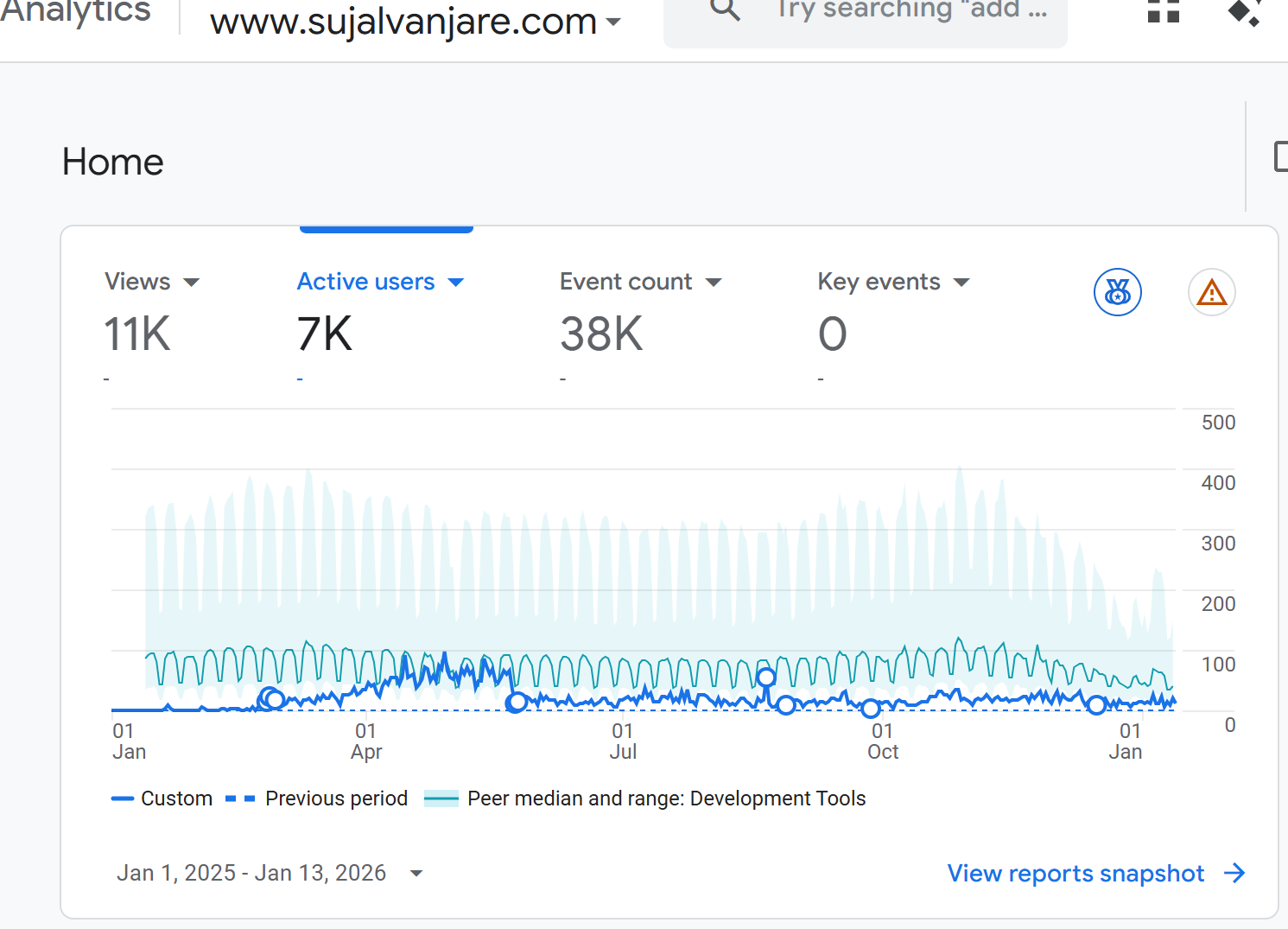
With only 6 web-development–focused articles (the most recent published over 5 months ago), the site has generated 11,000+ organic views and continues to grow steadily.
All published articles rank at the top of their respective categories, demonstrating the SEO strength and crawlability of the output generated by this template.
Note: Actual traffic is higher, as some visitors use privacy-focused browsers that block analytics.
Page Speed & Performance
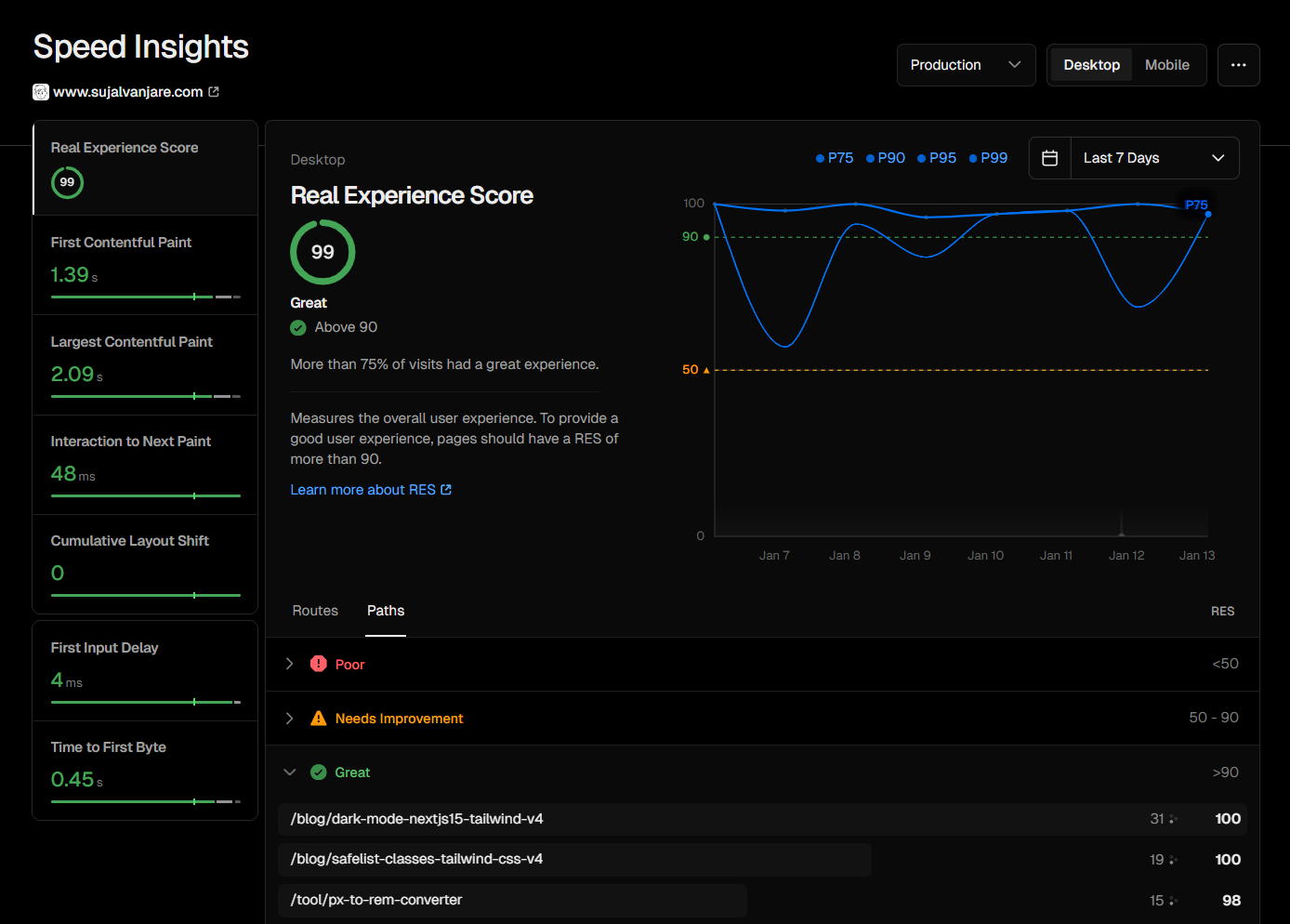
99–100 Real Experience Score, measured consistently over 6 months using Vercel Speed Insights.
- Zero layout shift
- Super fast loading times
Screenshots of Google Analytics and Speed Insights are included below.
 Buy Now
Buy NowLaunch offer: $79 $149 47% off
One-time payment
Full setup and usage guide is available here

Complete documentation to set up, manage, and use the Notion CMS with your Next.js website, including database setup, media handling, analytics, SEO, and deployment guides.