
Add JSON-LD and SEO Data for Each Page
Add structured data and SEO properties so search engines and social sites show your pages correctly.

Step 1. What is JSON-LD in simple words
JSON-LD is a small block of structured data added in the background of your page. It tells Google what the page is, for example, a blog article, a software tool, a product, or a person. It also stores important details like title, author, publish date, and thumbnail.
Step 2. What SEO means in short
SEO means Search Engine Optimization. It helps your website rank higher in search results. Good SEO improves visibility, click through rate, indexing, and how your content appears in Google Search.
Step 3. Fill SEO and JSON-LD Fields
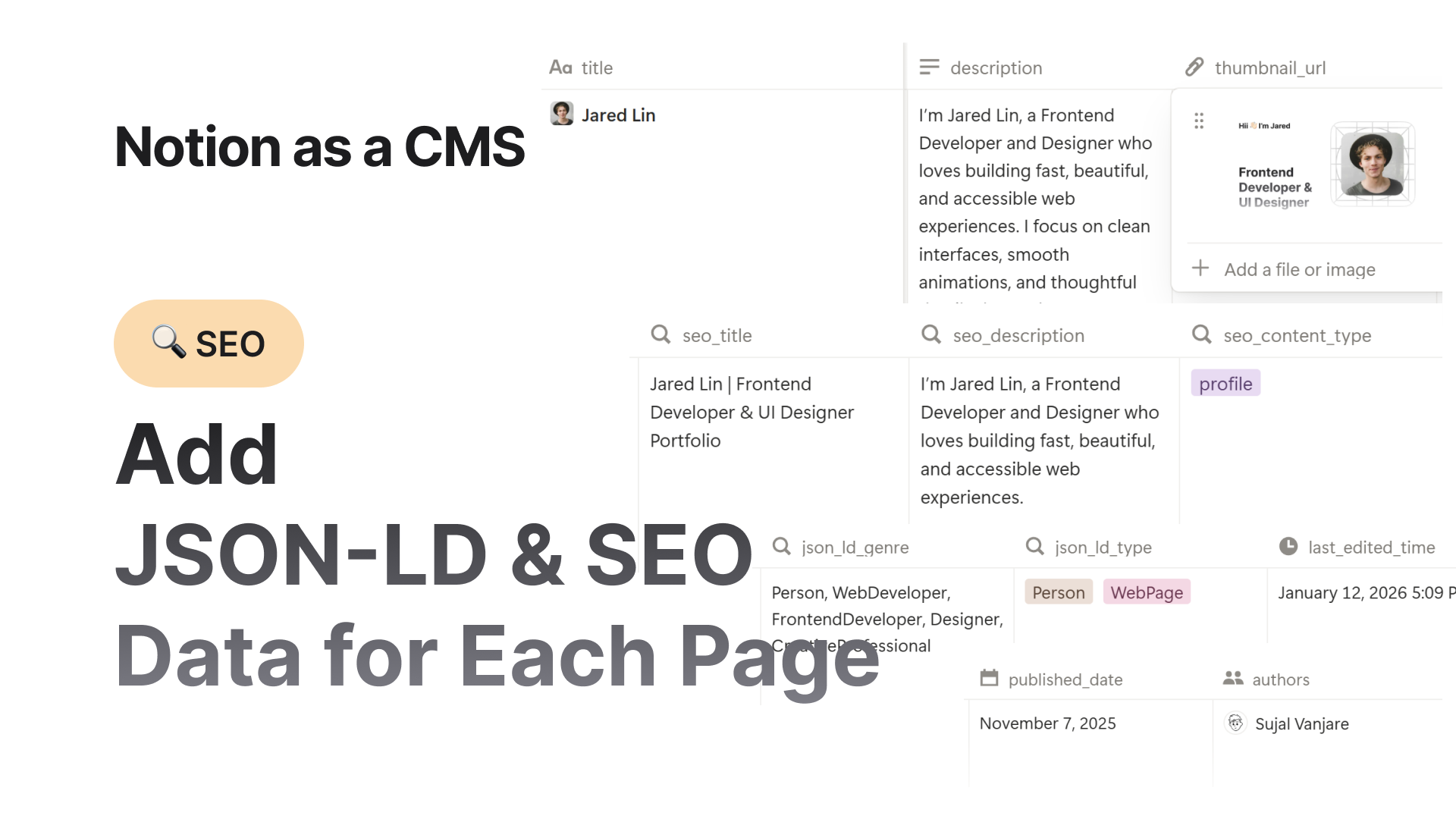
You only need to fill the properties in your page database:
| Property | Required | Description |
|---|---|---|
| title | Yes | Title of the page |
| published_date | Yes | When the page was published |
| description | Optional but recommended | Short summary of the page |
| thumbnail_url | Optional but recommended | Image preview for social share and Google snippets |
| authors | Optional | Page authors |
| seo_title | Optional | Use only if you want a different SEO title |
| seo_description | Optional | Separate SEO description if needed |
If you want to use the same title and description, leave seo_title and seo_description empty.
Step 4. SEO Content Type
Select one that fits the page:
- website
- article
- book
- profile
- music.song
- music.album
- music.playlist
- music.radio_station
- video.movie
- video.episode
- video.tv_show
- video.other
Use simple logic. If it is a blog post, select article. If it is the homepage, select website.
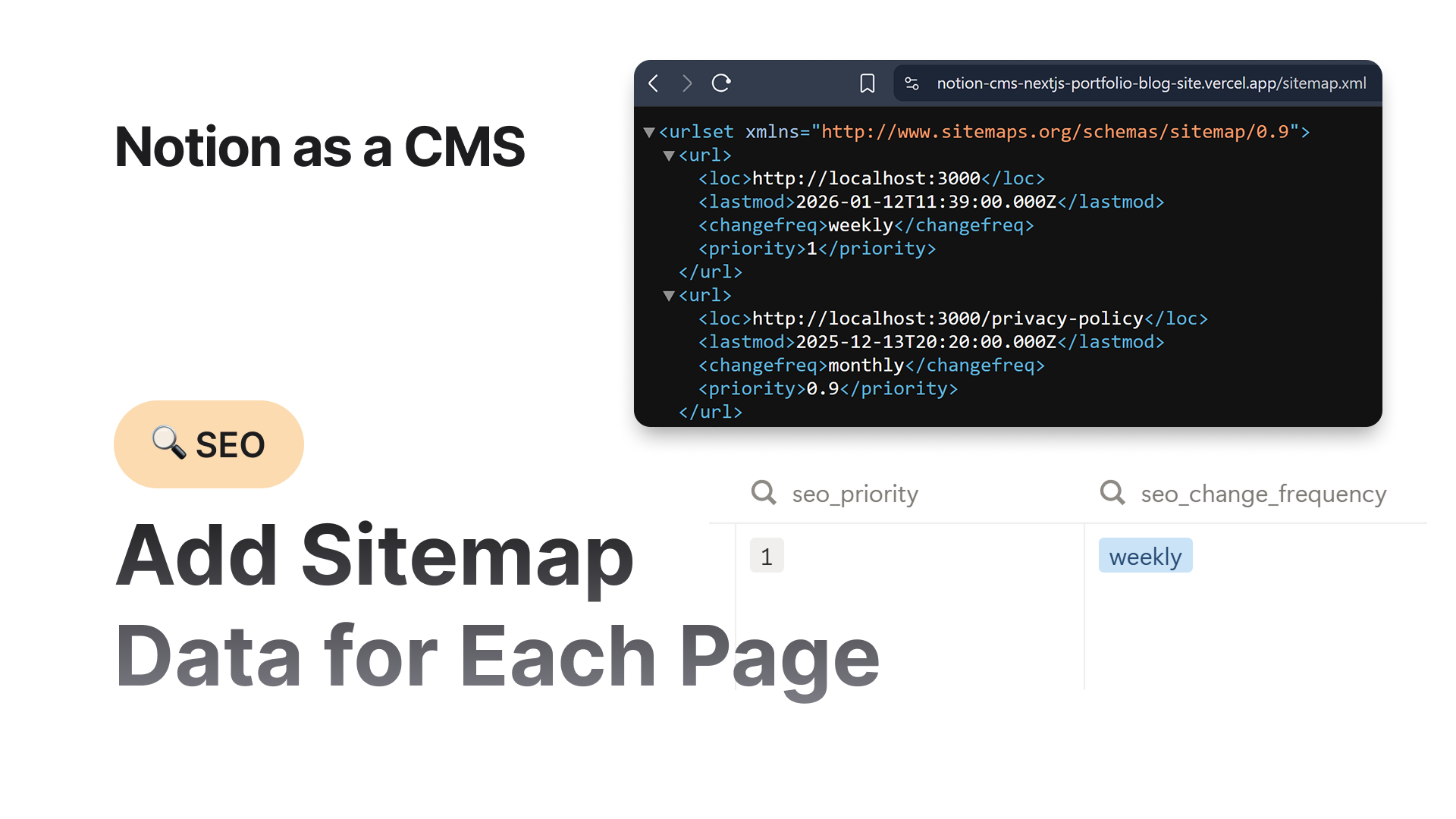
Step 5. SEO Change Frequency
This tells search engines how often a page updates:
- never (static pages)
- yearly
- monthly
- weekly
- daily
- hourly
- always
For example:
- Homepage = weekly or daily
- Blog post = monthly
- Legal pages (terms, policy) = yearly or never
Step 6. SEO Keywords
Add important keywords using this format only:
keyword, keyword, keywordKeywords help search engines match your page to searches. Keep them short and relevant.
Step 7. JSON-LD Genre
Same format as keywords:
genre, genre, genreGenre helps search engines understand the category of your content. For example tech, tutorial, design, review, etc.
Step 8. JSON-LD Type
You can select one or multiple types from the supported options:
- Article
- BlogPosting
- WebPage
- Person
- SoftwareApplication
- WebApplication
- ContactPage
- ProfilePage
- HowTo (without steps)
- CreativeWork
- Course
- Organization
- Book (only if author is provided)
- EducationalWebPage
- TechArticle
- Product
Guidance:
- If this page is a guide or tutorial, select HowTo.
- If it is a blog article, select BlogPosting.
- If it is a Product, you must always provide both:
shop_url→ the URL where users can buy the product (e.g., Gumroad, Buy Me a Coffee, etc.)price→ numeric value in USD (or your currency), for example:
Plain Text"$79 $149 47% off" → Google uses the first numeric value (79) as the price
Step 9. last_edited_time
You do not need to touch this. It updates automatically every time you change any value or edit the page.
You are done
Once you fill all these fields properly, your website will have strong structured data and better SEO support. This improves ranking, trust, and how your pages appear in Google and social platforms.
 Back
Back